Run your valeting business from your phone.
Your diary, job sheets, customers and payments, in an app on your home screen. Included free with every Valet App plan, on iPhone and Android.
No app store needed · Updates automatically · Uses hardly any storage
Everything you need on the job, in one app.
Built for mobile valeters who work from the van, not a desk.
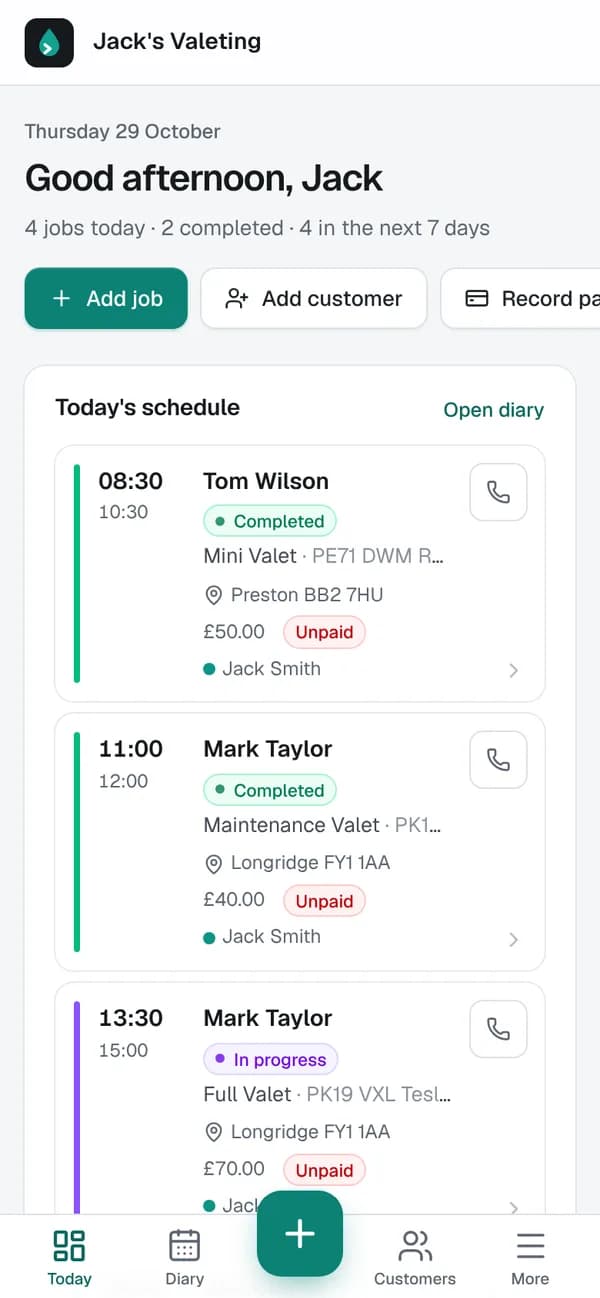
Your day at a glance
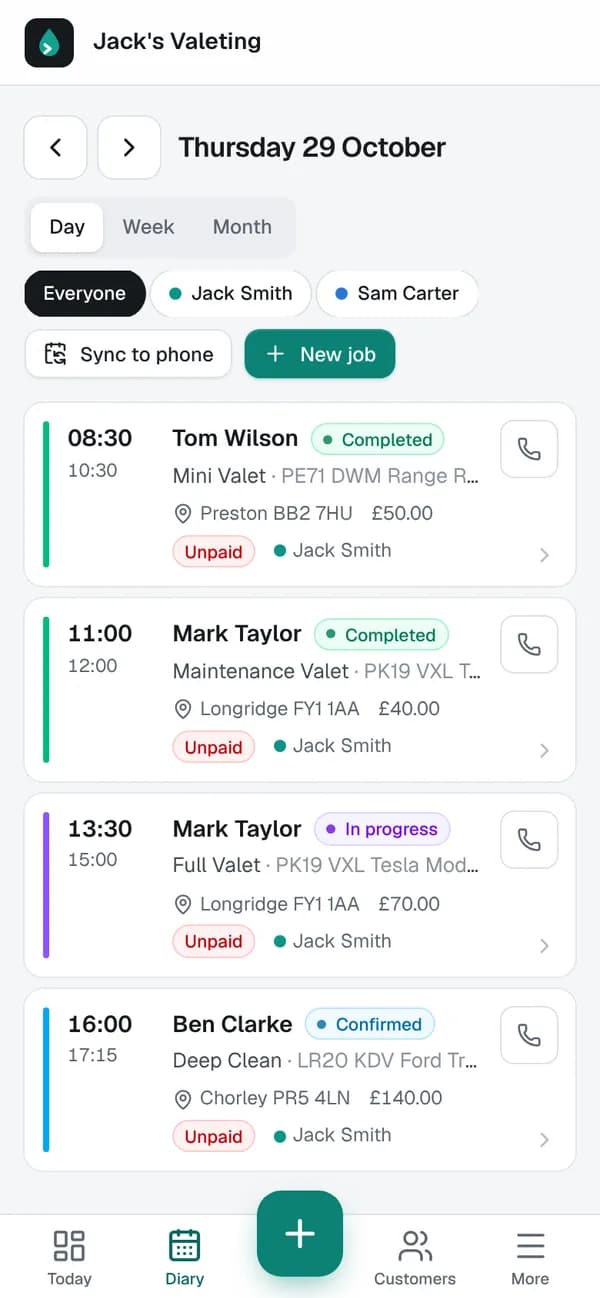
Today's jobs in order with times, addresses and what's owed. One tap to call, WhatsApp or get directions.
Job sheets that guide you
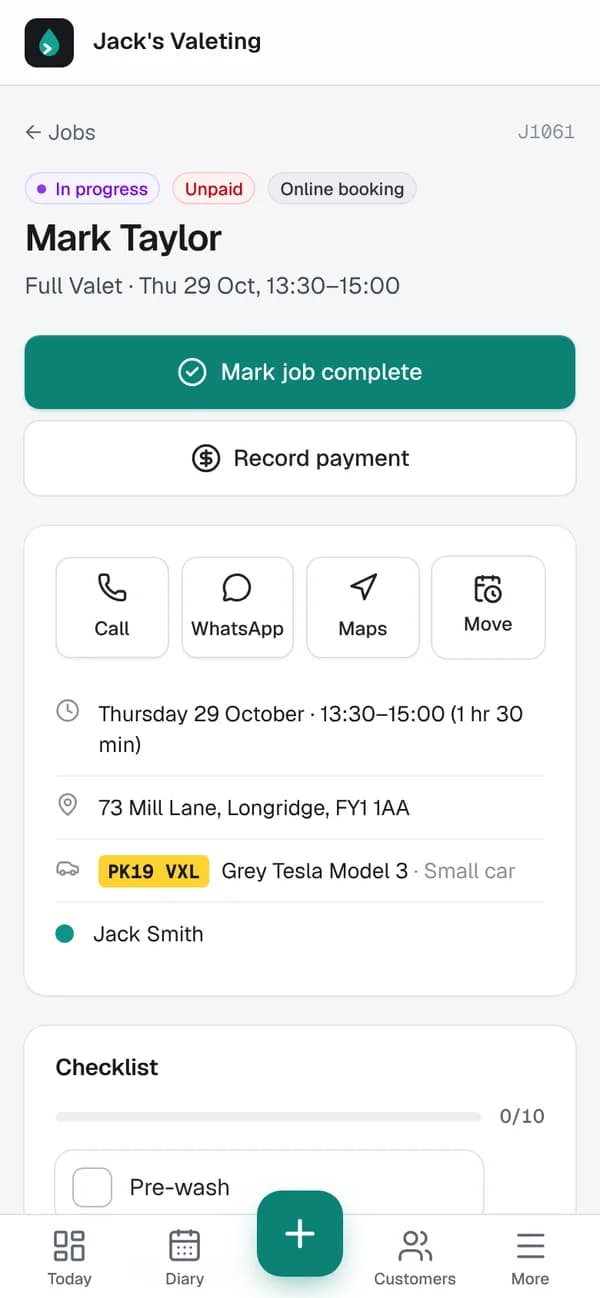
A checklist for every service, before-and-after photos, notes and the customer's vehicle, all on the job.
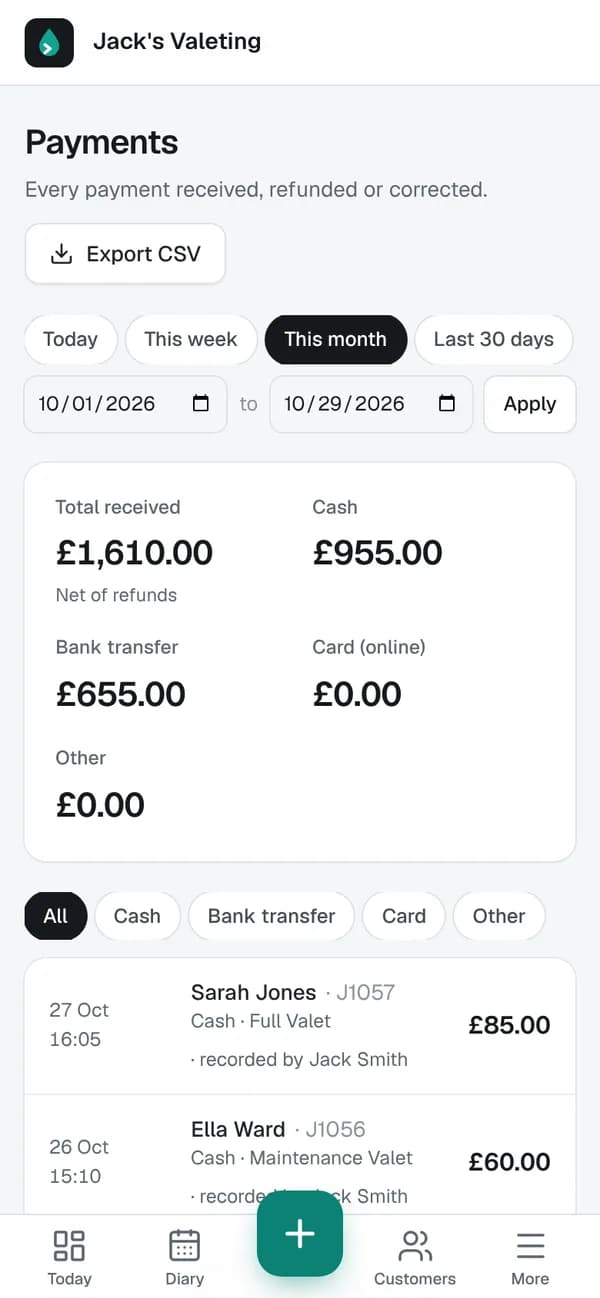
Get paid on the spot
Record cash or bank transfer in seconds, or send a secure card payment link. See what's outstanding at a glance.
Bookings come to you
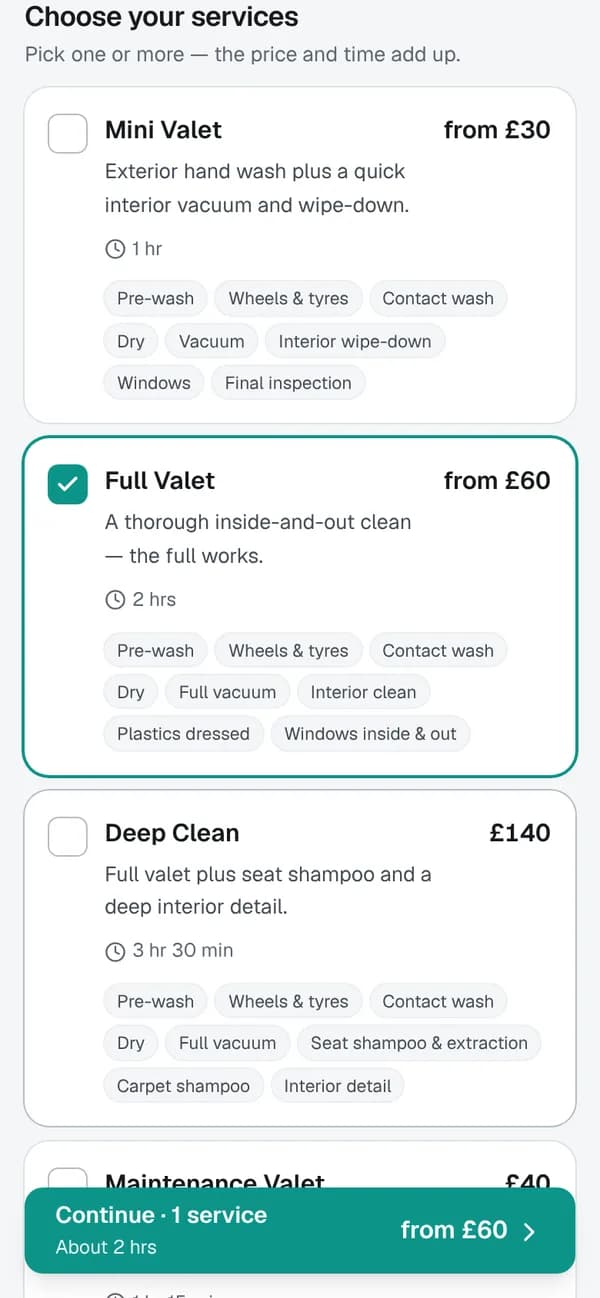
Customers book online from your own page, several services at once, only times you're free, deposits if you want them.
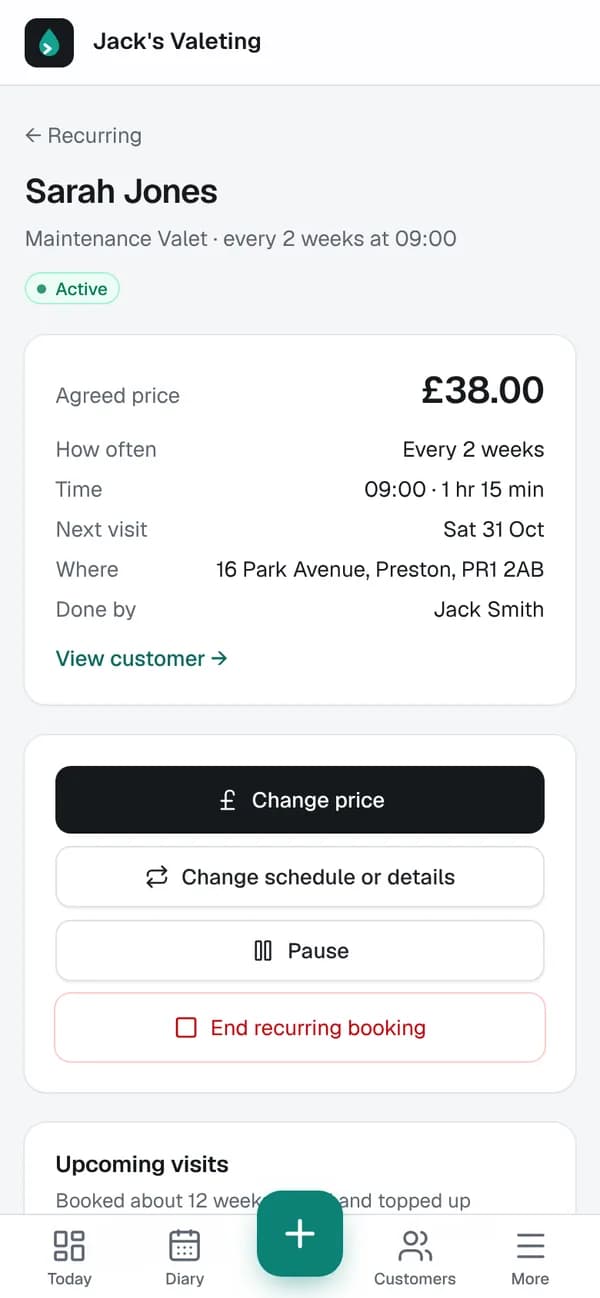
Regulars on repeat
Set up a maintenance valet every 2 weeks at an agreed price. Visits go in your diary automatically.
Reminders sent for you
Customers get a reminder before you arrive and a polite nudge if they still owe. You don't have to chase.
A look inside
Real screens from the app.
Install it in 10 seconds
The Valet App installs straight from your browser, no App Store or Google Play download. It gets its own icon, opens full screen and always has the latest version.
iPhone (Safari)
- 1Open this page in Safari and tap the Share button at the bottom of the screen.
- 2Scroll down and tap Add to Home Screen .
- 3Tap Add. The Valet App appears on your home screen, open it and sign in.
Android (Chrome)
- 1Open this page in Chrome.
- 2Tap the ⋮ menu at the top right, then Install app (or Add to Home screen).
- 3Tap Install. The Valet App appears with your other apps, open it and sign in.
On a computer?
Scan with your phone's camera.
www.thevaletapp.co.uk/get-the-app
Questions
- Is it a real app?
- Yes, it installs on your home screen with its own icon and opens full screen, like any other app. It's built as a web app, so it works on iPhone, Android and computers from one sign-in.
- Does it cost extra?
- No. The app is included with your Valet App plan (Solo £19.99 or Team £39.99 a month), with a free trial to start.
- Why isn't it in the App Store?
- It doesn't need to be: installing from your browser is quicker, and you always have the latest version without updating. Store versions with extras like instant notifications are planned.
- Does it work with no signal?
- You need a connection to load and save jobs. If you lose signal it shows a friendly message, and everything is there again as soon as you're back online.
- Can my team use it?
- Yes. On the Team plan each person signs in on their own phone and sees their own jobs.
Ready when you are.
Start your free trial, then add the app to your phone.